

Workflow Management Software
Workflow management software
for structured project execution
J.O.T APP is workflow management software for teams that need every task, owner, sprint, deadline, and report connected in one place. Instead of managing work across chats, spreadsheets, and status calls, teams move tasks through a clear workflow that keeps project execution visible from request to delivery.
Why Workflows Break
Project work breaks when the workflow
lives outside the project
Most teams already have a workflow. The problem is that it is usually scattered across tools, messages, meetings, and someone’s memory. That works until the project becomes complex, deadlines tighten, and every missing detail starts charging interest.
One Connected Workflow
One workflow management system —
from task creation to project delivery
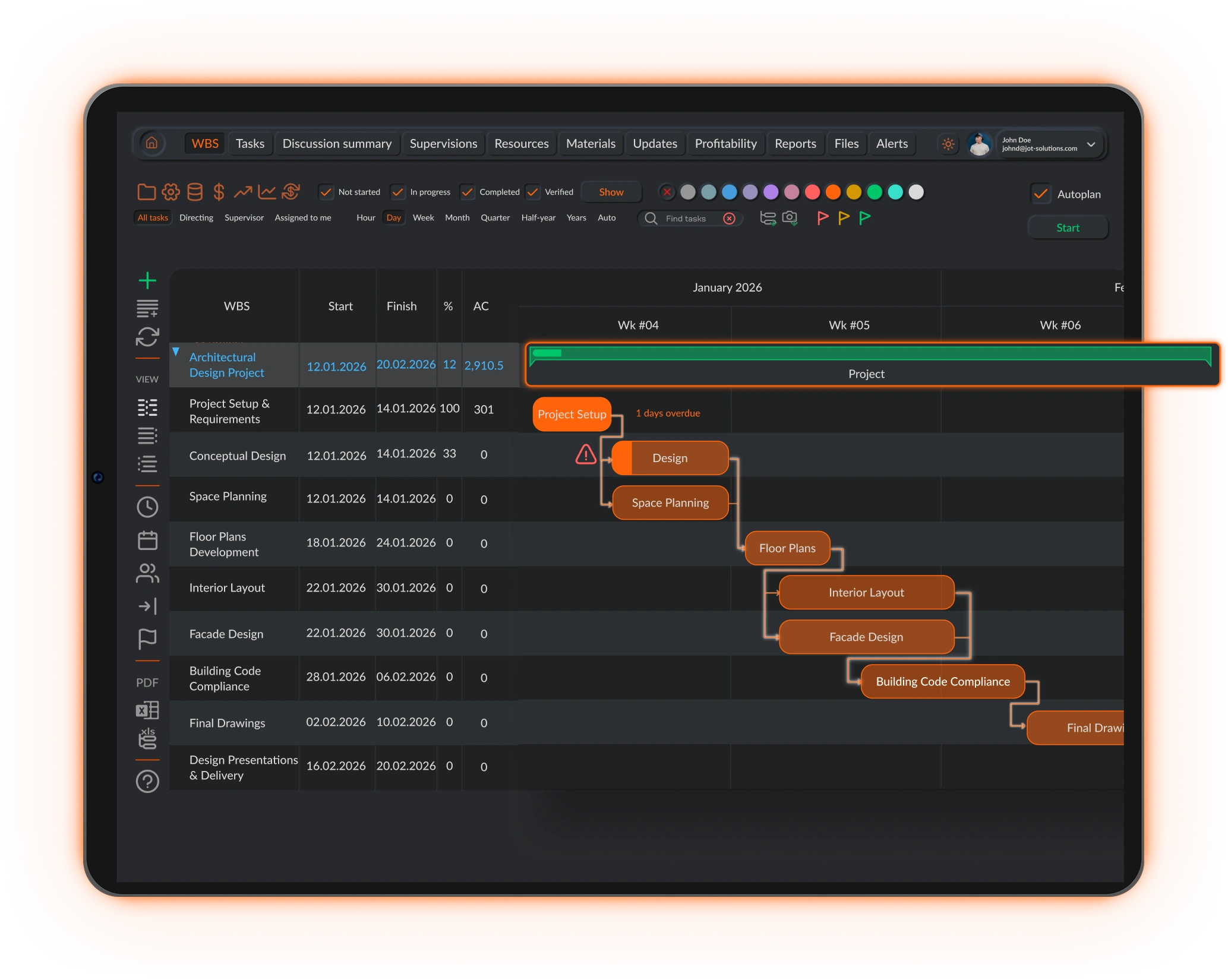
J.O.T APP turns workflow management into part of the project structure itself. A task is not just a card on a board. It belongs to a sprint, connects to a WBS category, has an owner, carries files and comments, tracks time, and supports daily reporting when the team fills in their updates.
The workflow does not sit beside the project. It becomes the operational layer that shows how work is actually moving.
01
Work enters the system with context
Every task starts with the information needed to execute it properly: owner, priority, deadline, WBS category, sprint, files, and comments. Work does not begin as a vague message floating in chat.
02
Tasks move through clear stages
Work moves across the Kanban board through defined stages: Tasks, In progress, Check, and Done. Everyone can see what is waiting, what is being worked on, what needs review, and what has already been completed.
03
Time and progress stay connected to the task
Team members log time and update progress directly on the task. Hours, comments, files, and status changes stay connected to the actual work instead of being scattered across separate tools.
04
Reports are built from real daily updates
Daily reports are created by the team based on the work completed during the day. Because tasks, time logs, statuses, and project structure are already connected, reporting becomes clearer, faster, and easier to verify.
What’s Inside
Everything a workflow management tool needs —
connected to project delivery
J.O.T APP combines task management, sprint planning, Kanban workflows, daily reporting, time tracking, and notifications into one connected workflow management tool for structured teams.
Task management with full context
Create tasks with owners, deadlines, priorities, WBS categories, comments, and attachments. Every task carries the information needed to execute it properly.
Sprint-based work planning
Organize work into weekly or bi-weekly sprints, so teams focus on what needs to move now instead of managing the full backlog at once.
Visual Kanban workflow
Track work across Tasks, In progress, Check, and Done. Team members see what belongs to them. Managers see how work is moving across the full project.
Daily reports from the team
Team members create daily reports to record what was completed, how long it took, and what needs attention next. Reports stay connected to real task activity instead of becoming another disconnected document.
Time tracking at task level
Log time directly on tasks and connect hours to the sprint, WBS category, and project record. No separate timesheet tool needed.
Workflow notifications
Notify the right person when a status changes, a review is needed, or a deadline is approaching. The workflow keeps moving without manual reminders.
Work Management System
More than workflow software —
a connected work management system
Most workflow software solves only one layer of the problem. A board shows where tasks stand. A time tracker records hours. A reporting tool summarizes progress. Each tool may work on its own, but project managers still have to connect the data manually.
J.O.T APP works differently. It is a work management system where tasks, sprints, WBS structure, time tracking, and daily reports are connected from the beginning. When a task is created, it already belongs to the project structure. When it moves through the workflow, the team can update progress, log time, attach files, and later use that information in daily reporting.
That is what makes J.O.T APP more than workflow management system software added on top of project work. The software workflow management logic is built into how every task moves, how every team member records progress, and how every manager understands delivery status. Every sprint, every task card, and every daily report runs through the same workflow management tool — there is no separate layer to configure or maintain.
For teams running structured project work, this matters. A workflow management tool is only useful when it reflects how work is actually executed, not how someone imagined it in a kickoff presentation.
Who Uses It
Workflow management software for teams running complex, repeatable work
J.O.T APP is built for teams where work follows structure: phases, deliverables, disciplines, owners, reviews, reports, and deadlines.
Multidisciplinary teams use J.O.T APP to manage deliverables across architecture, structural, BIM, HVAC, civil, and technical workstreams. Each discipline can filter its own workflow while the project manager sees progress across the full project.
Best for: Design coordination, technical deliverables, BIM tasks, engineering production.
Operations teams use J.O.T APP to run weekly work cycles with clear ownership, priorities, and delivery targets. The workflow shows what is in progress, what is waiting for review, and what needs attention before problems reach the meeting.
Best for: Recurring operations, technical support, internal delivery teams.
PMO teams use J.O.T APP to standardize how work moves across projects without forcing every team into a rigid process. Shared statuses, sprint visibility, and consistent reporting create control without slowing execution.
Best for: Project governance, portfolio visibility, cross-team reporting.
IT and technical teams use J.O.T APP as IT workflow management software for structured delivery across bugs, implementation tasks, support requests, and internal projects. Work stays connected to sprint planning and reporting instead of disappearing into separate workflow apps.
Best for: IT operations, implementation teams, internal software delivery.
Online Workflow Management
Online workflow management software
for distributed project teams
J.O.T APP is online workflow management software that works from any browser, on any device. There is no desktop installation, no version to sync, and no separate file that becomes outdated the moment someone opens it.
For distributed teams, that visibility matters. Engineers on site, architects in the office, contractors working remotely, and managers overseeing multiple workstreams all need to see the same workflow at the same time. Collaborative work management software only works when the team is actually collaborating inside one shared system.
J.O.T APP keeps tasks, comments, files, statuses, time logs, and reports connected in real time. When a task moves to Check, the reviewer sees it. When a deadline approaches, the right person is notified. When work is completed, the team can record it in the daily report with the task context already in place.
For IT, operations, engineering, and PMO teams, this makes J.O.T APP a practical alternative to disconnected workflow apps. It gives teams the structure of IT workflow management software, the visibility of a project workspace, and the reporting discipline needed for serious project execution.
Why J.O.T APP
The best workflow management software connects work to the project — not just to a board
A task board is useful. But for structured project teams, it is not enough. The real question is not only "What status is this task in?" The real question is: "How does this task affect delivery?"
See how it works in your project
J.O.T APP connects tasks, sprints, time tracking, and daily reports in one workflow. Book a demo and we will show you how it works for your team's specific project structure.
Help Center
Frequently asked questions
Quick answers to questions you may have. Can't find what you're looking for? Check out our full documentation.
Workflow management software organizes how work moves through a team: from task creation and assignment to execution, review, and completion. It gives each task a clear owner, status, deadline, and path forward. In J.O.T APP, workflow management also connects to sprint planning, WBS structure, time tracking, and daily reports.
Most workflow management tools focus on boards and task lists. J.O.T APP connects every task to the project structure behind it: sprint, WBS category, owner, time log, files, comments, and reporting context. Work does not just move across a board. It stays connected to project execution as it moves.
Yes. J.O.T APP is fully online and accessible from any browser, on any device. Teams can update tasks, review work, log time, and create daily reports without installing desktop software.
Yes. J.O.T APP supports multiple active projects. Project managers can filter workflows by project, sprint, WBS category, owner, discipline, or status, while PMO and portfolio teams can maintain visibility across several projects.
J.O.T APP is built for engineering firms, AEC teams, technical operations, IT teams, and PMOs managing structured project work. It is especially useful when tasks are connected to deliverables, phases, time tracking, reviews, and reporting.
J.O.T APP connects task activity, ownership, status changes, time logs, files, and WBS data in one workflow. Team members use this connected context to create daily reports that reflect real completed work, instead of manually collecting updates from several separate tools.
Drop us a line.
We'll hear from you soon.
Need a quick question answered? Our support team is available to answer any queries seven days a week.
Contact information:
Email: appjot@jot-s.com