Timesheets
Timesheet software built into the project —
not bolted on
Most timesheet software is a separate tool. Team members finish a task, then open another screen to log the time. J.O.T APP works differently — hours are recorded directly inside each task, in the same place the work happens. Every entry links to the sprint , the WBS node , and the project — so hours never float without context.
Built for engineering firms, architecture practices, and AEC teams running complex projects across multiple disciplines and multiple sprints.
Turn complex work into
clear execution
Task-level accuracy
Log time exactly where the work happens
Team members record time spent inside each task — not in a separate form, not at the end of the week. Every entry is tied to the project, WBS node, and sprint , so hours are never detached from real work.
Each time log carries everything it needs: the task it belongs to, the sprint it is part of, the WBS category, and any notes the team member adds. For a structural engineer, every hour logged against a foundation review appears under the Structural WBS node and rolls up to sprint totals in real time.
For teams that include employees, contractors, and subcontractors — everyone logs time the same way, in the same system. The timesheet reflects the full project team, not just the core office staff.
Engineering & AEC Teams
Timesheet software for
architects and engineering firms
Architecture firms and engineering teams have time tracking challenges that generic timesheet software is not designed for: billable hours split across disciplines, time that must trace to a WBS phase for billing and audit, and mixed workforces of employees and subcontractors logging hours on the same project.
J.O.T APP connects every logged hour to the WBS node it belongs to — Structural, Architecture, BIM, HVAC, Specifications, or any custom category the team defines. A subcontractor logs time on a coordination task; that entry appears under the relevant WBS node and rolls into sprint totals and project calculations immediately.
For an AEC project manager overseeing multiple disciplines, the project management time tracking view shows all team members in one place — filterable by contractor, WBS category, sprint, or date range.
Manager control
Approve timesheets at task level — individually or in bulk
Timesheet approval in J.O.T APP happens inside the task. Managers review each time entry alongside the full task context — what was done, who did it, how long it took — and approve or disapprove with one click.
For high-volume projects, bulk approval handles multiple entries across the sprint in a single action. When an entry needs correction, the manager disapproves it before it flows into daily reports or WBS cost calculations — keeping the data clean without administrative overhead.
Every approval and disapproval is logged with a timestamp and the reviewer's name — traceable by sprint, by team member, and by WBS category.
Time tracking shouldn’t feel like reporting. It should feel like clarity.
Visual clarity
Spot overloads and gaps before they become problems
The Spent Time dashboard gives managers a monthly view of the full team's workload — color-coded to show normal capacity, overtime, and underfilled days. Overloaded team members and idle capacity are visible at a glance, without building a report.
For engineering and AEC project managers running teams across multiple active sprints, this view gives the signal before it becomes a problem. When a contractor is consistently over capacity in week two of every sprint, the pattern is visible on the dashboard — not in a Friday conversation about missed deliverables.
Purpose-Built for Technical Teams
Time tracking software for architects and engineers —
built for project work
Generic time tracking software records hours. J.O.T APP’s architecture time tracking software records hours against the project — against the WBS node, the sprint, and the specific task where the work happened.
For an architecture firm, billable time on a schematic design phase is traceable to that phase — not summed into a flat hourly total. Engineering time tracking software in J.O.T APP works the same way: a structural engineer’s hours on a foundation analysis task sit under the Structural WBS node, visible to the project manager alongside every other discipline’s time.
Timesheet software for architects in J.O.T APP supports mixed billing structures: employees and subcontractors log time the same way, in the same system. Sprint summaries aggregate hours by WBS category — so the project manager sees how much time went into BIM coordination, specifications review, and client-facing deliverables, without manually reconciling entries from separate tools.
This is what separates time tracking software for engineers from a generic timesheet app: the hours mean something, because they are connected to the project
Timesheet Comparison
The best timesheet software for project teams is built into the workflow
Standalone tools like Clockify or Toggl record hours well. But for engineering and AEC teams, the timesheet is not just a log — it is part of the project record. The best timesheet software for project work connects each entry to the sprint it belongs to, the WBS category it falls under, and the daily report it feeds.
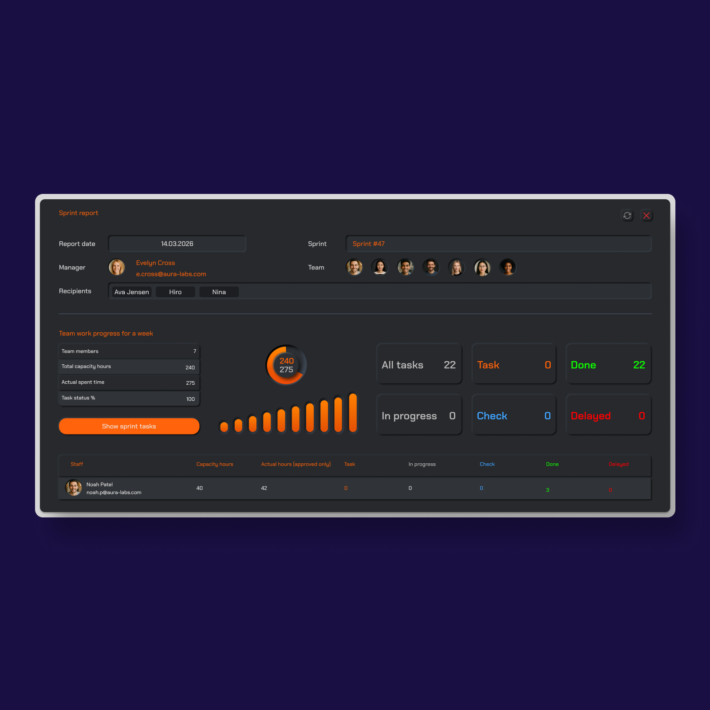
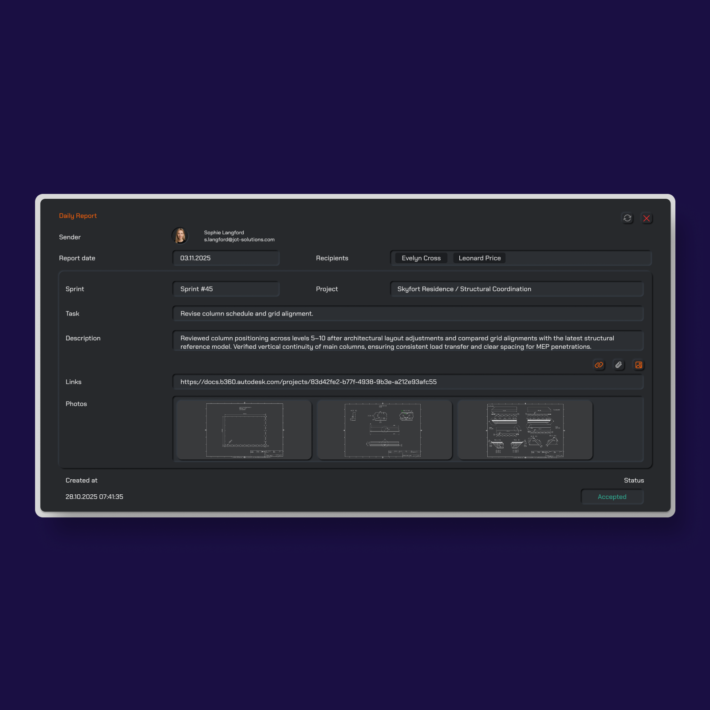
In J.O.T APP, approved hours feed into three places: the daily report for that day, the sprint report for the active sprint, and the WBS cost calculation for the project. Nothing needs to be re-entered or reconciled. The timesheet is not a separate document — it is part of the PMO-level project record.
Reports & Costs
Turn logged hours into project intelligence
Every approved hour in J.O.T APP feeds into three places: the daily report for that day, the sprint report for the active sprint, and the WBS cost calculation for the project.
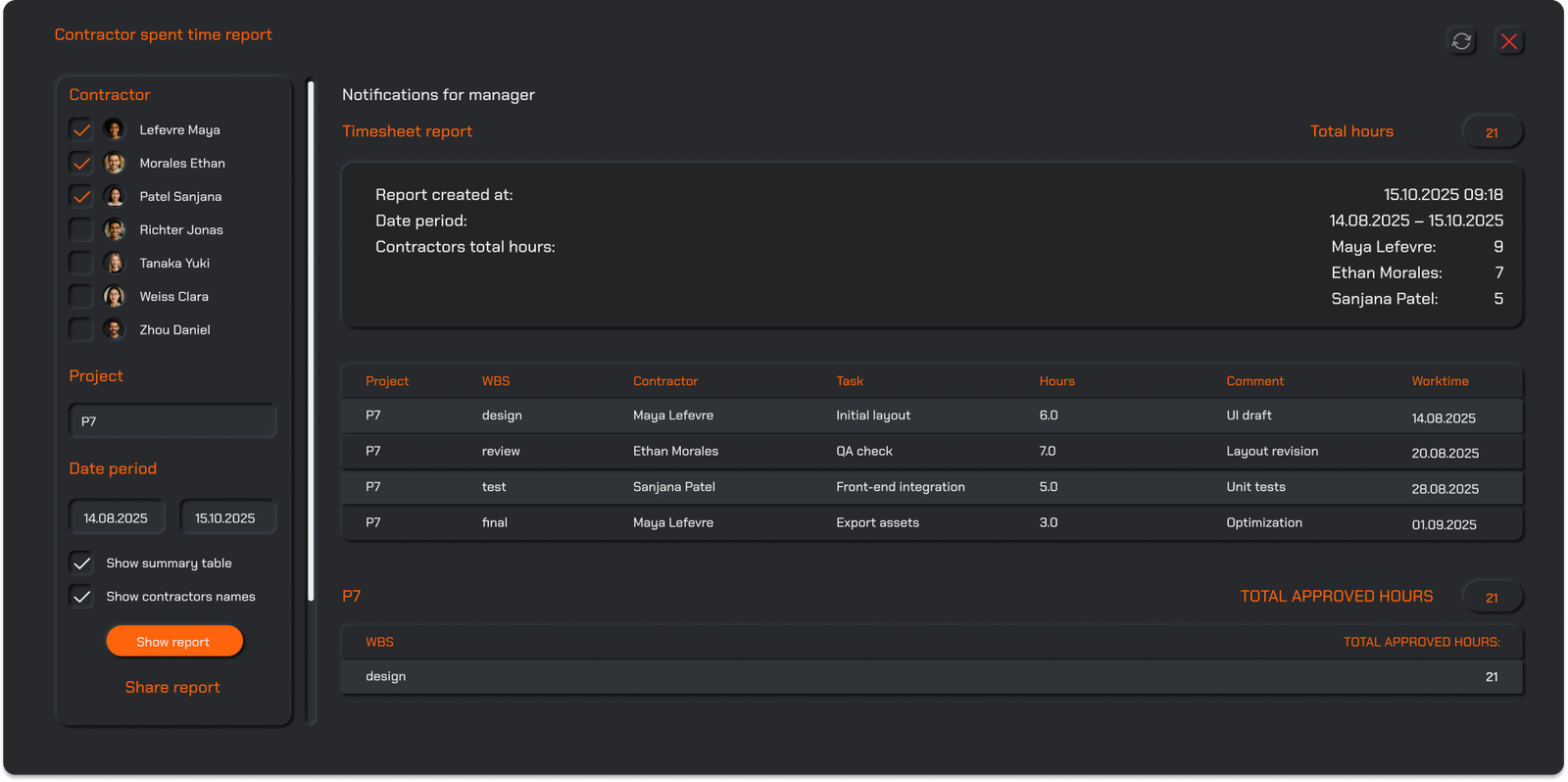
Managers filter time data by person, by project, by WBS node, or by date range — and see in one view how many hours were logged against each WBS category this sprint, which contractor is running over their allocated time, and where the project stands against planned effort.
For billing, audits, and client reporting — every hour is traceable to the task, the team member, and the sprint it belongs to. The timesheet is not a separate document. It is part of the project record.
Help Center
Frequently asked questions
Quick answers to questions you may have. Can't find what you're looking for? Check out our full documentation.
Timesheet software for project teams lets team members log the hours they spend on tasks, connected directly to the projects and deliverables those tasks belong to. In J.O.T APP, the timesheet is not a separate form — time is logged inside each task, linked to the sprint, WBS category, and project. Managers see who worked on what, for how long, and where in the project it belongs — in real time, without manual reconciliation.
Time tracking in J.O.T APP is embedded in the task workflow. Team members log time on the task they are working on. That entry tags to the sprint, WBS node, and project. Managers review and approve entries at the task level. Approved hours feed into daily reports, sprint summaries, and WBS cost calculations — no separate reporting step required.
Yes. J.O.T APP's timesheet software is built for project-based work with structured work breakdowns, which makes it a strong fit for architecture firms and AEC teams. Every logged hour connects to a WBS node — Architecture, Structural, BIM, HVAC, Specifications — and to a sprint. Employees and subcontractors log time the same way in the same system. Managers filter by discipline, contractor, or WBS category to see where time is being spent across the full project.
Clockify and Toggl are standalone time trackers — they record hours, but those hours live separately from the project. In J.O.T APP, time is logged inside the task and immediately connected to the sprint, WBS, daily report, and project cost calculation. For engineering time tracking software, this distinction matters: the timesheet is part of the project record, not a parallel document to reconcile against a project plan at the end of the sprint.
Yes. J.O.T APP's Spent Time dashboard shows a monthly view of all team members' logged hours — color-coded to show normal capacity, overtime, and underfilled days. Managers filter by project, WBS category, sprint, or individual team member. The view gives an immediate read on workload distribution across the team without running a separate report.
Every approved hour feeds into the daily report for the day it was logged, and into the sprint report when the sprint closes. Sprint reports aggregate all time entries from that period — by WBS category, by team member, and by task — compiled from the timesheet data. No manual aggregation required.
Drop us a line.
We'll hear from you soon.
Need a quick question answered? Our support team is available to answer any queries seven days a week.
Contact information:
Email: appjot@jot-s.com