

AI Project Assistant
The AI that knows your entire project —
not just your last meeting
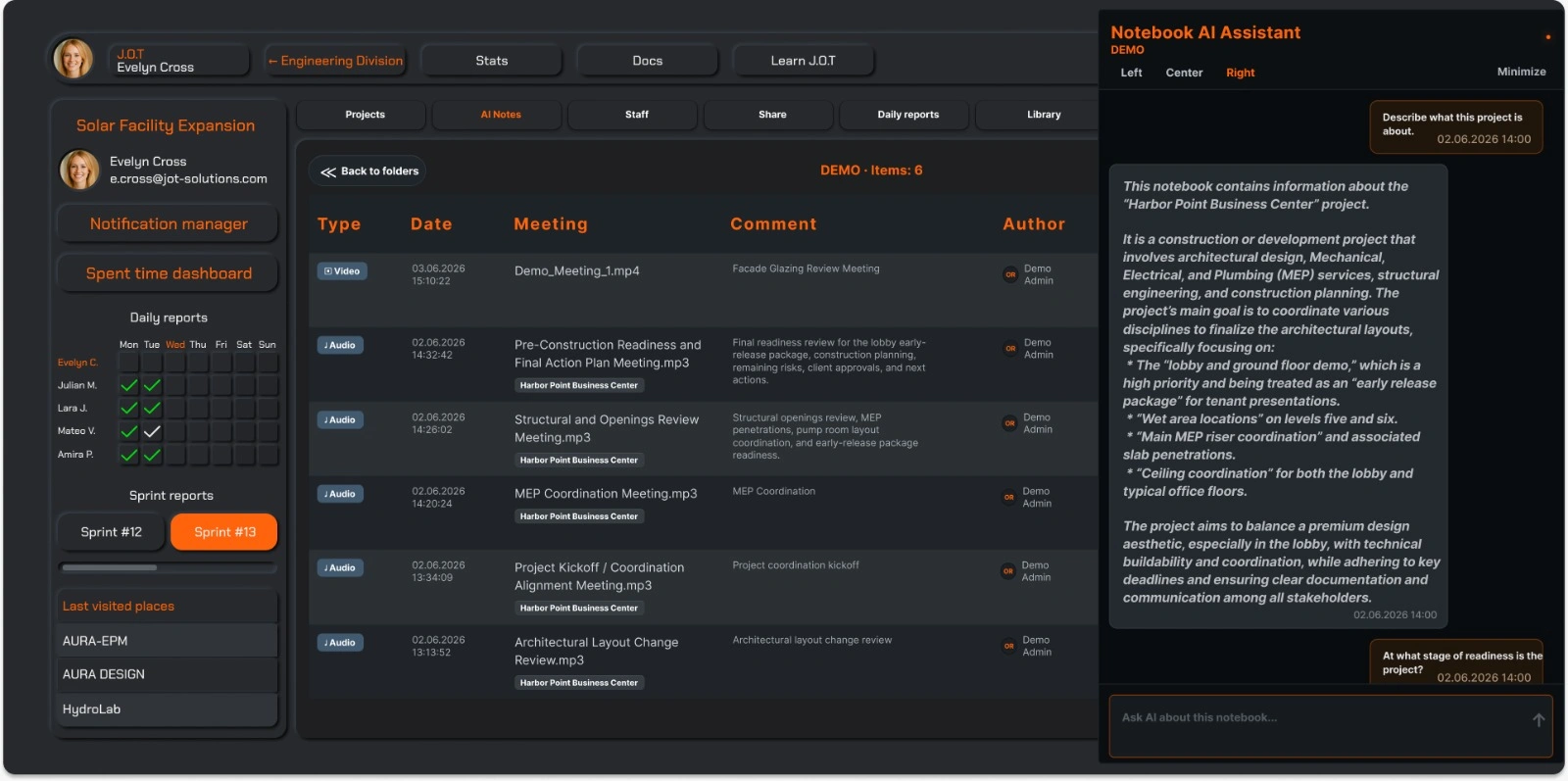
Most AI meeting tools summarise one conversation at a time. J.O.T APP's AI Project Assistant works differently. Upload your meetings, recordings, reports, and documents into a project — and the AI builds a working knowledge of the whole thing. Every decision, every open question, every commitment made across weeks of work becomes something you can query, act on, and share.
Ask it anything about the project. Get a task into the sprint. Export a briefing for a stakeholder. The AI Project Assistant connects your project's history to your team's next action.
Project Intelligence
An AI that understands the full project —
not isolated meetings
Most meeting AI tools give you a summary of what was said in a single call. That is useful. It is not the same as understanding a project.
J.O.T APP's AI Project Assistant builds knowledge across every file you upload — kickoff recordings, design review notes, coordination meetings, status calls, progress reports. Over time, it builds a coherent picture of the project: what was decided, what was promised, what is still unresolved.
Ask “what did we agree on the facade material?” and the answer draws from every relevant conversation in the project — not just the last one you uploaded. The AI knows the context because you gave it the context.
From Insight to Action
Turn AI answers into sprint tasks — in one step
Knowledge without action is just documentation. When the AI Project Assistant surfaces a decision that requires follow-up, a commitment that has not been tracked, or a risk that needs ownership — you can send it directly to the Kanban board as a task.No copy-pasting. No switching tools. No re-explaining the context to the team. The task carries the information it needs, assigned to the right sprint, ready to move.This is the difference between an AI that tells you what happened and an AI that helps you do something about it.
Stakeholder Reporting
Generate a project briefing —
custom, exportable, shareable
Not every stakeholder needs access to the full project. Sometimes a client needs a progress summary. A subcontractor needs a scope briefing. A leadership team needs a risk overview. The AI Project Assistant generates a custom PDF based on exactly what you ask for — a summary of decisions made in the last two weeks, a list of open action items, a timeline of key milestones. You define the scope. The AI pulls from the project knowledge it has built. You export, review, and send. Clean output. No manual formatting. No hour spent copying notes into a slide deck.
Upload Anything
Audio, video, PDF —
the AI works with what your team actually produces
Real projects do not produce only neat transcripts. Coordination meetings get recorded as audio files. Site walkthroughs come back as video. Specifications live in PDFs. Previous project reports exist as documents.
J.O.T APP's AI Project Assistant accepts all of it. Upload an audio recording and it becomes searchable project knowledge. Upload a PDF specification and the AI can reference it when you ask about scope. Upload a video review session and the decisions from that call join the rest of the project record.
The format does not matter. The knowledge does.
In Practice
One project.
Everything the AI needs to help you run it.
Upload your meetings. Ask your questions. Send tasks to the sprint. Share what matters with the people who need it.
The AI Project Assistant does not replace the project manager — it gives them the information they need, exactly when they need it.
Drop us a line.
We'll hear from you soon.
Need a quick question answered? Our support team is available to answer any queries seven days a week.
Contact information:
Email: appjot@jot-s.com