

Built for technical teams. Designed to run complex delivery.
AI-powered project management
software for complex teams
J.O.T APP is project management software that connects company strategy, team execution, and daily work into one clear operating system — from the first WBS breakdown to the final sprint delivery.
What is J.O.T APP?

J.O.T APP is project management software built for technical teams in architecture, engineering, and technical operations. Unlike general-purpose project management tools that treat every project the same, J.O.T APP combines Agile execution speed with PMO-level discipline — giving teams an operational system that actually reflects how complex projects work.
From strategy to execution
Most project management software handles tasks. J.O.T APP handles the full chain: from breaking down a goal into a work breakdown structure, through sprint planning and daily execution, to AI-generated insights from every team meeting. Every task is tied to a plan, a timeframe, and a purpose. Work never loses its project context.


Project management software that enforces discipline in scope and priorities
Project managers and team leaders use J.O.T APP to replace scattered spreadsheets, email threads, and disconnected tools with a single project management platform where work is visible, accountable, and moving forward. Whether you are coordinating a multi-phase engineering deliverable, running a cross-functional product launch, or managing a portfolio of internal initiatives — J.O.T APP gives everyone, from individual contributors to executive leadership, one real-time view of reality.
Why teams choose J.O.T APP over other project management tools
Pure Agile works for software sprints. Pure PMO works for structured programs. But most real-world teams — especially in engineering, architecture, and technical services — need both. J.O.T APP is the project management tool designed to combine them: fast weekly sprints anchored to a structured WBS, with visibility and governance that leaders and clients expect.
Most project manager software stops at task lists. J.O.T APP starts with the big picture — your company goals, project scope, and deliverable structure — and breaks it down into executable work. Every task is connected to a sprint, every sprint to a project phase, every phase to an outcome. When something is delayed, everyone knows immediately.
J.O.T APP was designed for teams whose work involves real dependencies, technical constraints, and multi-party coordination. If your projects involve design reviews, phased deliverables, cross-disciplinary handoffs, or distributed team reporting — J.O.T APP gives you the project management tools to handle that complexity without losing speed.
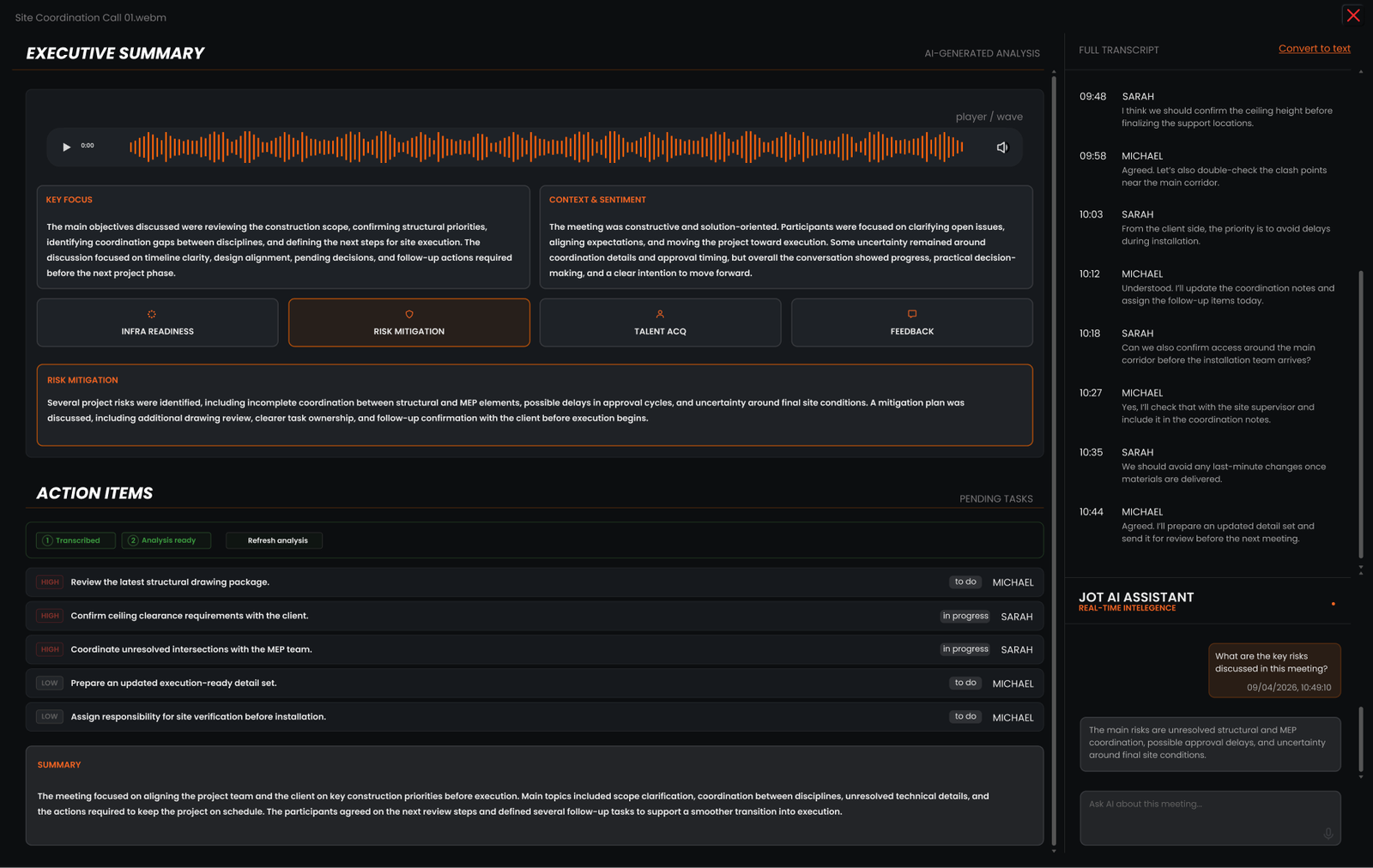
AI That Turns Meeting Notes Into Project Execution
Every coordination call, design review, and client meeting generates decisions, tasks, and risks. Most of them disappear before the next day.
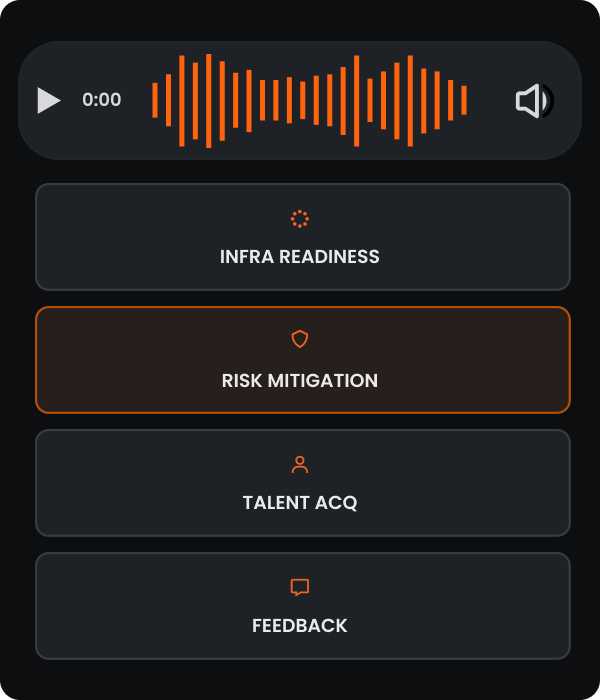
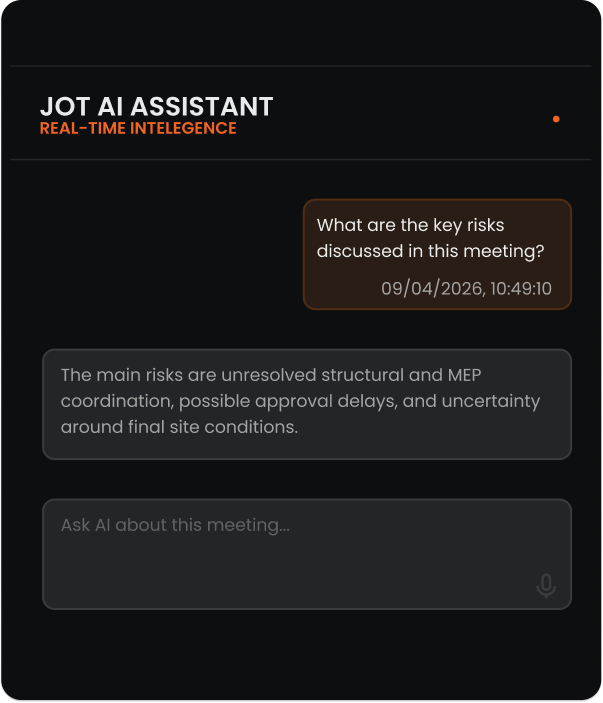
J.O.T AI listens to your meetings and converts them into coordinated project execution — automatically. It identifies who said what, what was decided, what needs to happen next, and who is responsible. Then it pushes tasks directly into your J.O.T APP workspace, assigned, prioritized, and linked to the right project.
J.O.T AI goes beyond meeting summaries — it converts conversations into executable project work, ready to move before your next sprint.
Features overview
How J.O.T APP project management software organizes project work
J.O.T APP is built around a clear hierarchy that mirrors how real project management works in practice.
Every project begins with a work breakdown structure — the WBS that translates a goal into manageable deliverables. From there, work is divided into weekly sprints, each with a defined scope and clear ownership.
Within each sprint, tasks carry the specifics: descriptions, files, time logs, discussion threads, and status updates. As work moves forward,
- Kanban boards give teams a real-time view of what is in progress, what is blocked, and what is done.
- Gantt charts give managers a timeline view with dependencies and delivery forecasts.
- Timesheets record time at the task level, giving managers accurate data on effort and delivery. And daily reports give leadership an accurate, up-to-date picture of progress — without requiring another meeting.
This framework ensures every task stays connected to project goals. Every person knows what they are responsible for. Every manager can see the real state of every project at any moment.
The result: less time in status meetings, fewer surprises at delivery, and a team that executes with clarity.


SPRINT
Clear tasks. Faster execution
Sprints create a shared execution rhythm across the organization, giving teams clear direction and priorities. When people know where they are going and what needs to be delivered, planning is faster, alignment is stronger, and feedback becomes quicker and more relevant.
REPORTING & TRANSPARENCY
Built-in clarity through real-time reporting
Daily reporting turns operational work into management insight — without extra meetings or manual status updates.
Reports are built from daily work updates submitted by the team. Team members log what they worked on, how much time they spent, and attach relevant files — all directly linked to tasks, sprints, and projects.
Critical insight
- What was done today?
- What will be done tomorrow?
- What is blocking progress?


WBS
The WBS brings clarity and control from day one
The WBS is not just a planning tool — it is how company strategy is translated into executable work across teams.
Every project in J.O.T APP starts by breaking it down. Large goals are divided into smaller, understandable tasks, reducing complexity step-by-step.
Key Benefits
- Understand what really needs to be done
- Identify missing elements and dependencies early
- Detect mistakes and risks at the planning stage



ORGANIZATIONAL VISIBILITY
Single source of truth
Everyone — from team members to leadership — works from the same, real-time picture of reality.
For Teams (Kanban)
Everyone sees what is happening, where work is stuck, and what’s been completed in real time. Problems appear early.
For Managers (Gantt)
Dependencies, timelines, and the impact of delays are automatically reflected. This provides a realistic, full-project forecast.
Project management software designed for teams that run complex work
- Architecture and AEC firms
- Engineering and technical teams
- Agile PMO and portfolio teams
- Operations, PMO, and R&D
Coordinate design phases, manage client deliverables, track team capacity, and run design review meetings that actually turn into action items. J.O.T APP gives architects and AEC project managers the structure that generic tools lack — without the cost and complexity of enterprise tools built for large-scale operations like Procore or Autodesk.
Manage complex technical deliverables with WBS-level precision. Track dependencies across disciplines, run sprint cycles on structured engineering tasks, and keep leadership informed with daily execution reports — without manual status updates.
If you manage multiple projects simultaneously — across teams, clients, or business units — J.O.T APP gives you the portfolio visibility and execution discipline to stay in control. Sprint planning, WBS structures, daily execution data, and Gantt timelines all flow into one management view, so leadership can make decisions without chasing status updates.
Whether you are running an internal PMO, managing a product roadmap, or coordinating operational workflow management across initiatives — J.O.T APP gives you the project management tools to govern work at the portfolio level and execute at the task level, in the same system.
A powerful mobile app for work on the move
J.O.T APP is available on App Store and Google Play, so your team can track tasks, log time, submit reports, and stay aligned — wherever work happens.


Trust and differentiation
Project management software that grows with your team
J.O.T APP is used by technical teams who have outgrown simple task boards and cannot justify the cost or complexity of enterprise project management software. It is the right fit when you need more structure than Notion or Basecamp offer, more flexibility than Jira’s engineering-first approach, and more affordability than Procore or Smartsheet at scale.
Getting started takes hours, not months. There is no six-week implementation, no dedicated admin team required, and no per-module pricing that turns a simple project management app into an unpredictable bill. You import your projects, set up your WBS, and start running sprints within the first week.
J.O.T APP is the project management software for teams who take their work seriously, want visibility without micromanagement, and need AI that actually connects meetings to execution — not just summaries.
HOW TO GET STARTED
Our step-by-step approach
With concepts in hand, we meticulously design, refining every detail to align with your vision and objectives.
Set Up
Import your team, projects, and structure in minutes.
Daily Use
Log in, create tasks, track time, submit reports — all from one dashboard.
Automate
Let J.O.T handle the reminders, alerts, and reports while you focus on growth.
GETTING STARTED
How to get started with J.O.T APP
Follow short video tutorials that guide you through setup, project structure, and daily workflows.
- Clear setup
- Daily workflows


BUILT FOR REAL PROJECTS
Ready to run your projects with clarity?
Start with a structured demo tailored to your team's workflow. See how J.O.T APP handles your type of project — from the first WBS breakdown to the last daily report.
Help Center
Frequently asked questions
Quick answers to questions you may have. Can't find what you're looking for? Check out our full documentation.
J.O.T APP is AI-powered project management software that combines Agile execution with PMO-level structure. It connects work breakdown structures, weekly sprints, task management, daily reports, and AI meeting analysis into one operating system for technical teams.
Most project management tools are flexible but unstructured — teams can use them any way they want, which often means no consistent process. J.O.T APP follows a consistent project structure: a clear hierarchy from WBS to tasks to sprints, so every piece of work has context and accountability. It also includes an AI Project Assistant that converts meeting conversations into executable tasks — something general-purpose tools do not offer natively.
Yes. J.O.T APP is built for teams that need both. It combines Agile execution — sprint cycles, Kanban boards, task ownership — with traditional project management structure: WBS breakdowns, Gantt timelines, milestone tracking, and formal reporting. Teams run sprints within a structured WBS, getting execution speed without losing governance. This hybrid approach is especially useful for engineering firms, PMOs, and AEC office teams managing complex, phased deliverables.
The J.O.T AI Project Assistant helps teams turn meeting output into project execution. It analyzes meeting recordings, identifies decisions, risks, and action items, and keeps this context connected to the project workspace so teams can review, assign, and act on what was discussed.
Most teams are running their first sprint within the first week. J.O.T APP does not require a lengthy implementation or dedicated admin. You set up your project structure, break it down into tasks, and start your first sprint cycle — with onboarding support available throughout.
Yes. J.O.T APP is built for teams that cannot rely on walking over to someone's desk. Daily reports, task-level discussions, sprint planning, and AI meeting analysis all work asynchronously — so distributed teams have the same visibility and accountability as co-located ones.
Drop us a line.
We'll hear from you soon.
Need a quick question answered? Our support team is available to answer any queries seven days a week.
Contact information:
Email: appjot@jot-s.com