

Every meeting, fully captured. Every decision, fully traceable.
AI meeting assistant for project teams — from recording to action items
J.O.T AI Meeting Assistant captures your Zoom, Meet, or Teams calls via browser plugin, generates a structured Executive Summary with risk and sentiment analysis, identifies action items, and stays available to answer questions about the meeting — all from inside your project workspace.
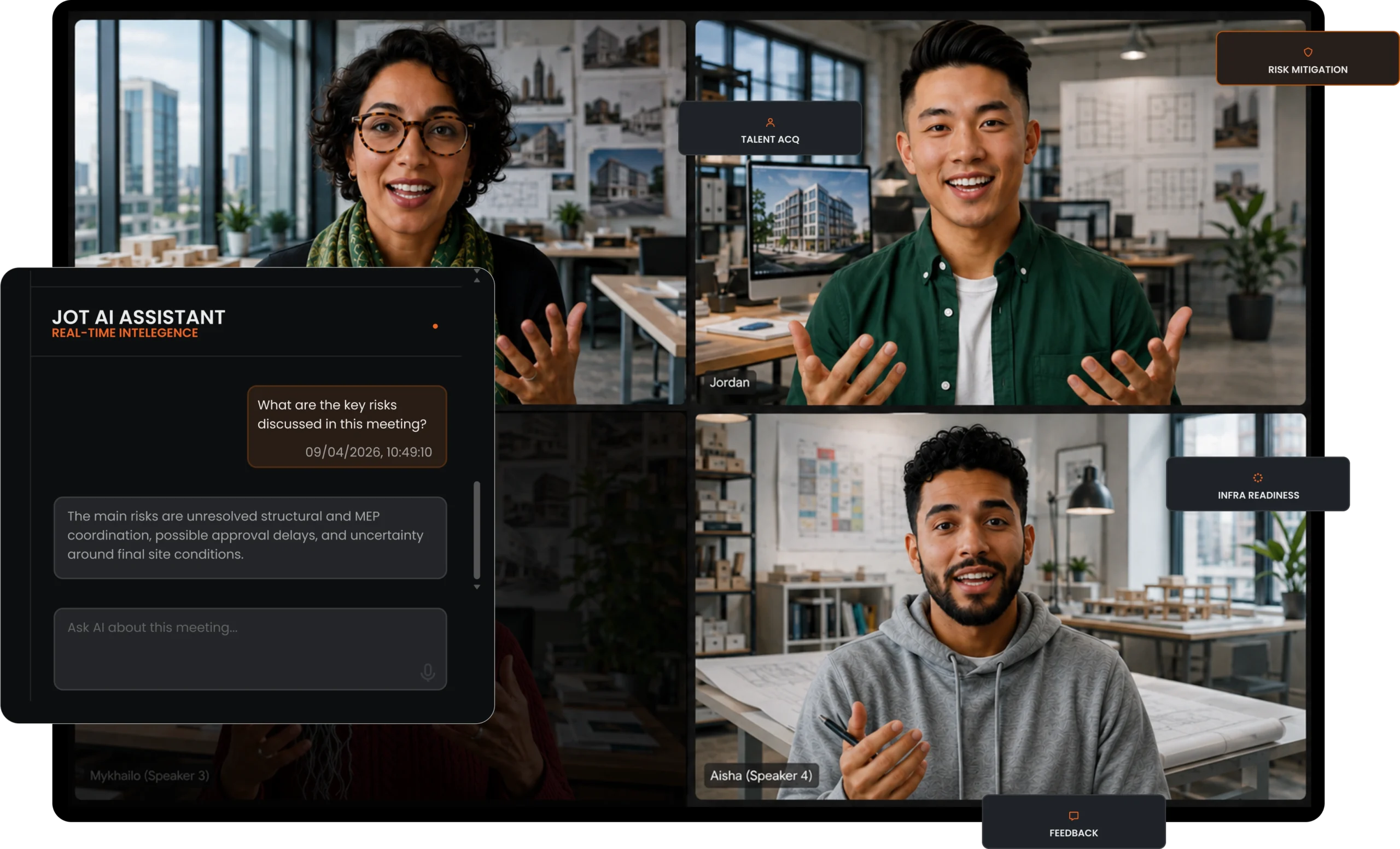
What is the J.O.T AI Meeting Assistant?
The J.O.T AI Meeting Assistant is the complete AI layer built around your project meetings. It combines meeting recording, AI transcription, structured analysis, action item identification, and real-time Q&A into one system that lives inside your project workspace — not in a separate app.
Every word, captured
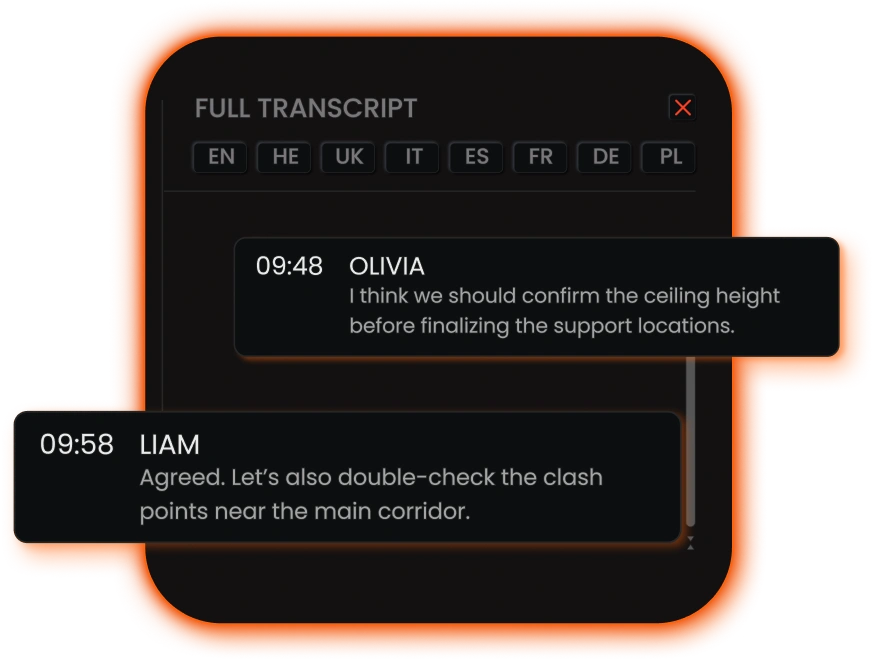
Full transcript with speaker attribution and timestamps — no bot, no separate software, one click to record.
Six intelligence dimensions
Key Focus, Context & Sentiment, Risk Mitigation, Infrastructure Readiness, Talent signals, and Feedback — on every meeting, automatically.
Action items, structured
AI identifies priorities and owners from the meeting. Your team reviews and confirms what to act on next.
However, J.O.T AI Meeting Assistant is not a standalone transcription tool. It is connected to the project. The meeting record sits alongside your WBS, sprints, Kanban board, and daily reports. As a result, what happens in the meeting feeds directly into how the project moves forward.
Why project teams need
a different kind of AI meeting assistant
Generic AI meeting assistants are built for the person who wants a record of the call. They transcribe, summarize, and deliver. For an individual catching up on a missed meeting, this is genuinely useful. However, for a project team, the problem is fundamentally different.
What a generic AI meeting assistant gives you
- A transcript of what was said
- A condensed summary with key points
- A shareable document in a separate app
- A record of the meeting for personal reference
What a project team actually needs
- Which risks need addressing before the next phase
- Which action items need to be created and who owns them
- Which resource gap needs to be escalated
- Which decision needs to reach the client — and when
J.O.T AI Meeting Assistant is built around this distinction. It is not a smarter transcript tool — it is a project intelligence layer that happens to start with a meeting. Therefore, for teams where meetings drive projects and projects drive delivery, this is the difference between a useful tool and an essential one.
Everything the J.O.T AI Meeting Assistant handles
Record
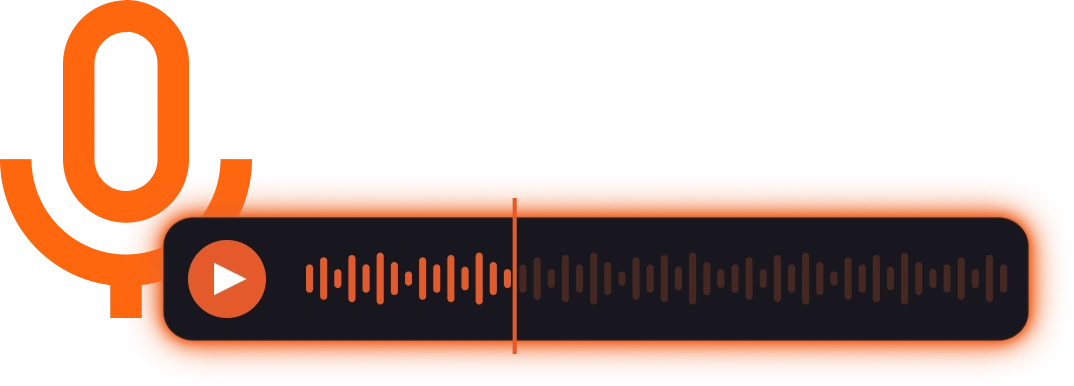
Records your meeting via browser plugin
— no bot, no interruption
The J.O.T plugin captures meeting audio directly from Zoom, Google Meet, or Microsoft Teams — no bot joining the call, no separate recording software to configure. One click to start. When the meeting ends, you upload the recording to your J.O.T APP project with one click. Alternatively, you can save the file to your device.
Transcribe
Transcribes with speaker attribution
— every word, attributed
An analysis of the tone and dynamics of the conversation — whether the discussion was instructional, conflicted, exploratory, or uncertain. This helps project managers understand not just what was decided, but how it was decided.
Summary
Generates a structured Executive Summary
— not just a condensed transcript
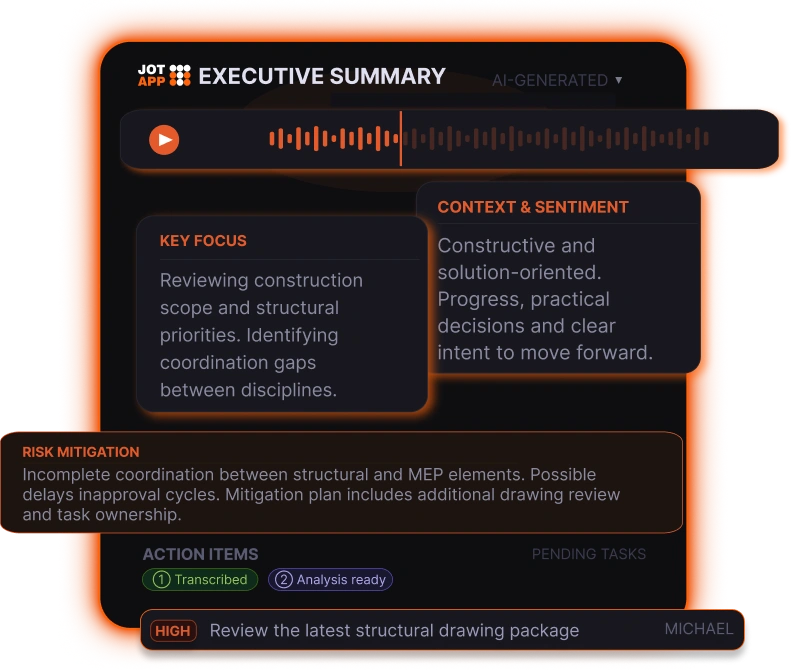
The J.O.T AI Meeting Assistant produces an Executive Summary that covers Key Focus, Context & Sentiment, and four structured intelligence blocks. Rather than condensing what was said, it organizes the meeting around what the project team needs to know and act on.
Analysis
Analyzes across four project dimensions
— automatically, on every meeting
Every meeting summary includes analysis across four fixed categories:
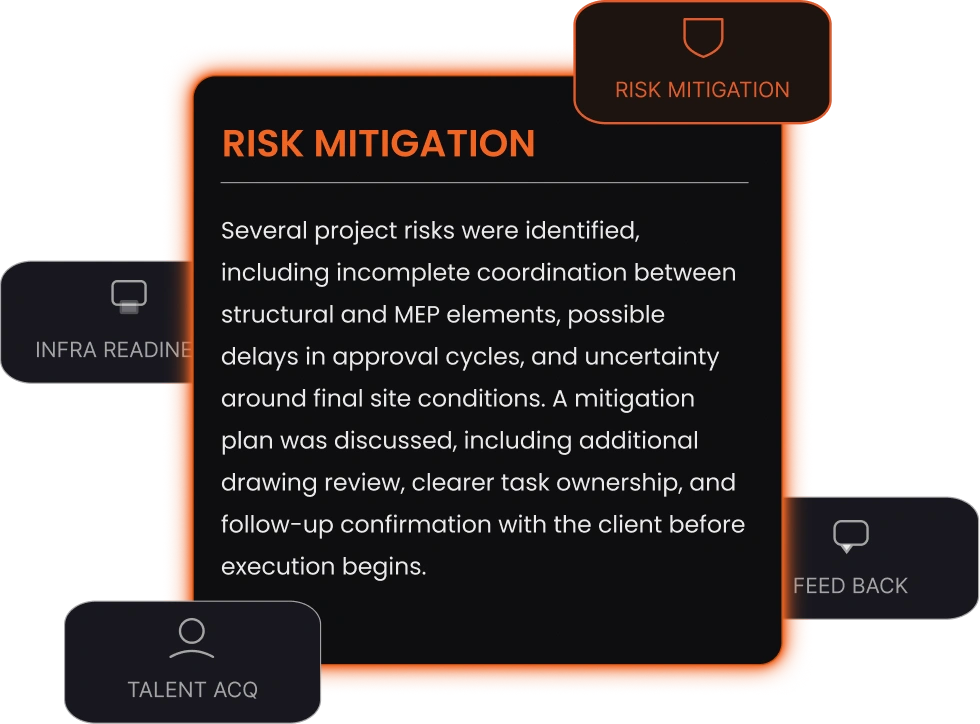
- Infrastructure Readiness — is the project technically and operationally ready to move forward? What gaps were identified?
- Risk Mitigation — what risks were raised, what is the mitigation plan, and what still needs to be resolved?
- Talent Acquisition — were any capacity or skills gaps surfaced that need addressing?
- Feedback — how did participants respond? What signals did the meeting send?
Action Items
Identifies action items with priorities
— your team confirms what to act on
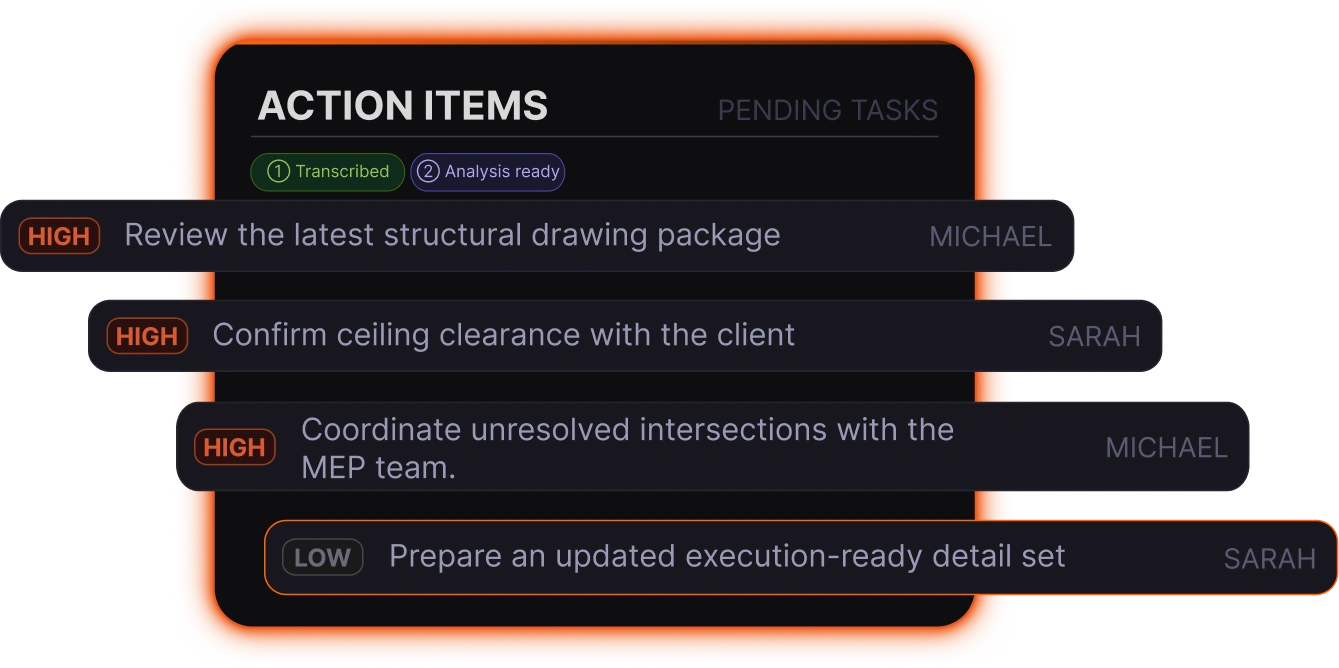
J.O.T AI identifies action items from the meeting and assigns a priority level — high, medium, or low — based on discussion context. Each action item appears in the meeting summary for the team to review. The team then confirms which items to move forward and how they map to the current work.
Ask AI
Answers questions about the meeting in real time — no rereading required
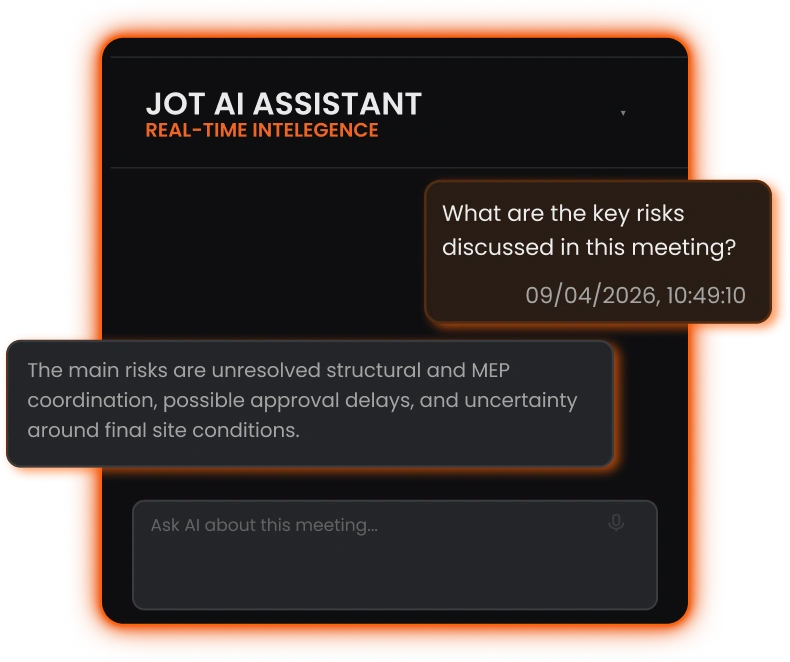
The J.O.T AI Assistant is available in the right panel of every meeting summary. Team members can ask any question in natural language — "what risks were flagged around the timeline?", "who was assigned to the infrastructure check?", "did anyone mention the client's feedback on the design?"
The AI searches the full transcript and responds with a grounded answer. Consequently, there is no searching, no rereading, and no chasing recaps from colleagues who were on the call.
Most AI meeting tools give you a document.
J.O.T AI gives you a project update.
Six structured intelligence dimensions. Risks surfaced. Action items identified. All from the recording — before you've written a single line of notes.
Help Center
Frequently asked questions
Quick answers to questions you may have. Can't find what you're looking for? Check out our full documentation.
J.O.T AI Meeting Assistant is the complete AI layer for project meetings. It records your Zoom, Google Meet, or Teams calls via browser plugin, transcribes with speaker attribution, generates a structured Executive Summary with six intelligence dimensions, identifies action items with priorities, and provides a real-time AI chat interface for questions about the meeting. Everything is connected to the J.O.T APP project workspace — not stored in a separate tool.
Tools like Otter, Fireflies, and Fathom are strong at recording, transcribing, and summarizing meetings. J.O.T AI is built for what happens after the meeting.
It keeps transcripts, summaries, risks, decisions, and action items inside the project workspace, alongside WBS, sprints, Kanban, daily reports, and analytics. That means meeting output is not just stored. It becomes part of project execution.
Every J.O.T meeting summary includes analysis across four structured dimensions: Infrastructure Readiness (technical and operational gaps identified), Risk Mitigation (risks raised and mitigation approaches discussed), Talent Acquisition (capacity or skills gaps surfaced), and Feedback (participant responses and sentiment signals). Additionally, these run automatically on every recorded meeting — no configuration needed.
J.O.T AI identifies and surfaces action items with priority levels and suggested owners for the team to review. The team confirms which items to act on — giving the project manager control over what moves forward and how it is framed. Direct Kanban and sprint integration is coming soon. This approach keeps AI as a structured input to project decisions, not an autonomous actor creating tasks without human judgment.
J.O.T APP supports Zoom, Google Meet, and Microsoft Teams via the browser plugin. The plugin captures audio directly from the browser without joining as a bot participant — your meeting attendees do not see an extra participant in the call.
J.O.T AI transcribes with speaker attribution — it identifies who said what based on the audio. Speakers can be reassigned in the interface if the automatic attribution needs correction. Furthermore, the transcript supports multiple languages, with the ability to switch the display language after the recording is processed.
Drop us a line.
We'll hear from you soon.
Need a quick question answered? Our support team is available to answer any queries seven days a week.
Contact information:
Email: appjot@jot-s.com