Kanban Board

Kanban board software connected to real project execution

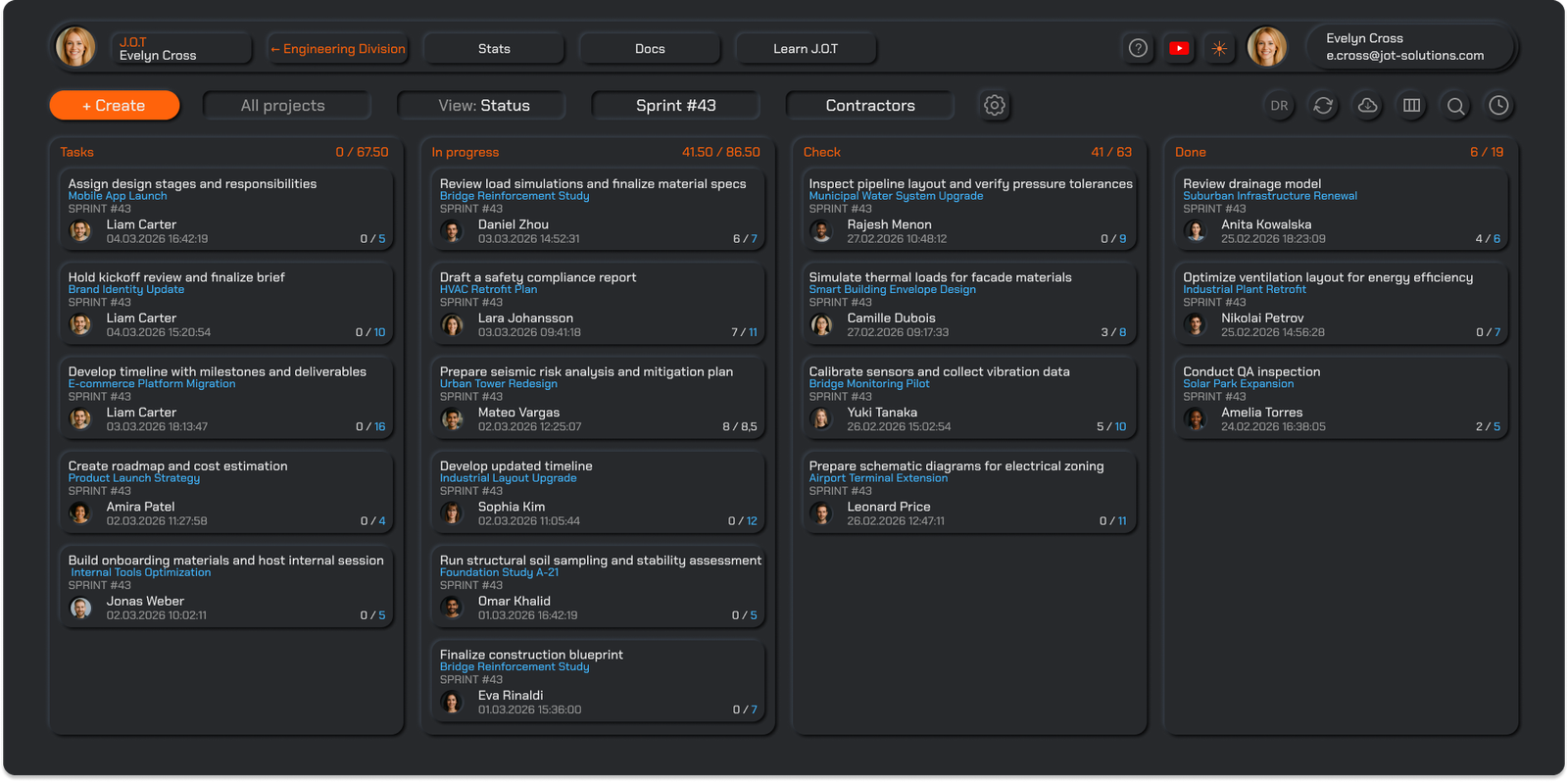
J.O.T APP's kanban board software gives teams a live view of what is planned, in progress, under review, and done — connected to sprints, timesheets, and daily reports. Not a standalone board. Part of a complete task management system.

Online, real-time, and built for technical teams.

J.O.T APP kanban board software — project tasks by status

Kanban board examples —
how different teams use J.O.T APP

A kanban board looks different depending on the team and the type of work. Here are real kanban board examples from the types of projects J.O.T APP supports.

A multidisciplinary AEC firm uses a single project kanban board with custom WBS categories: Structural, Architecture, BIM, HVAC, Specifications. Each discipline filters the board to their own tasks. A structural engineer sees only structural tasks moving through Tasks → In Progress → Check → Done. The project manager sees all disciplines in one view — with sprint assignments and owners visible on every card. Design review comments thread directly on the task card, so decisions are traceable.
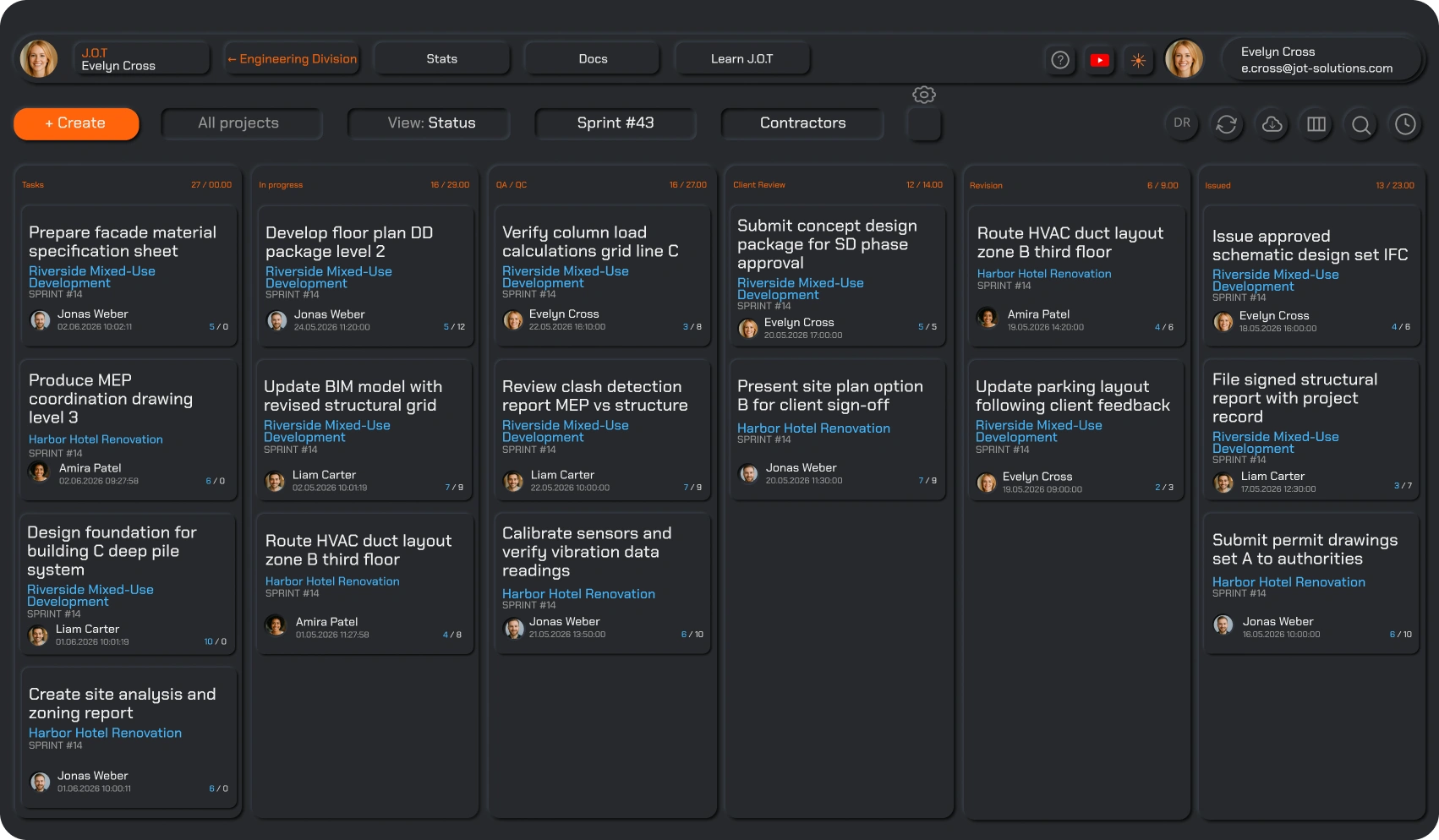
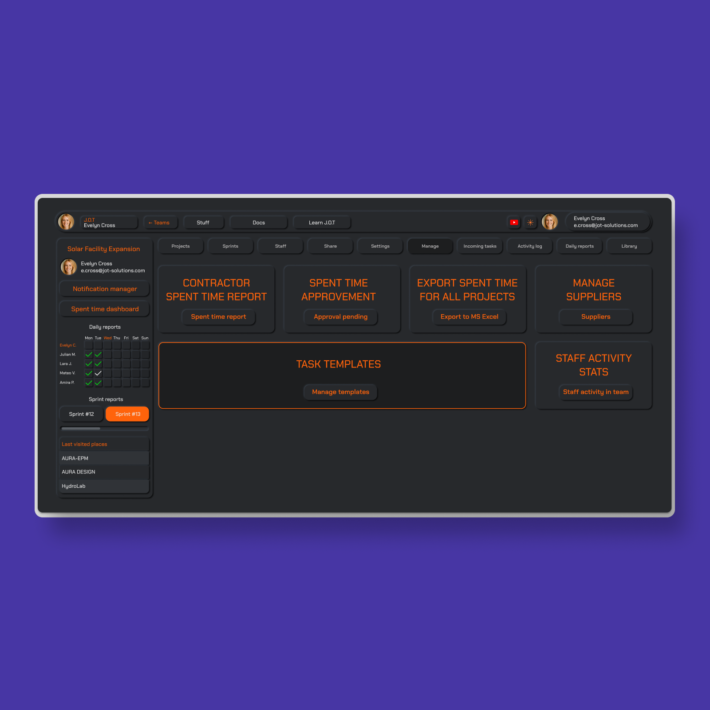
J.O.T APP kanban board example — AEC project team

A technical operations team runs weekly sprints. At the start of each sprint, the project manager assigns tasks from the WBS into the current sprint. The kanban board for that sprint shows only this week’s work — filtered to the active sprint, with priority levels (high / medium / low) visible on each card. As tasks complete, the daily report updates automatically. By end of week, leadership sees delivery status without a single status call.
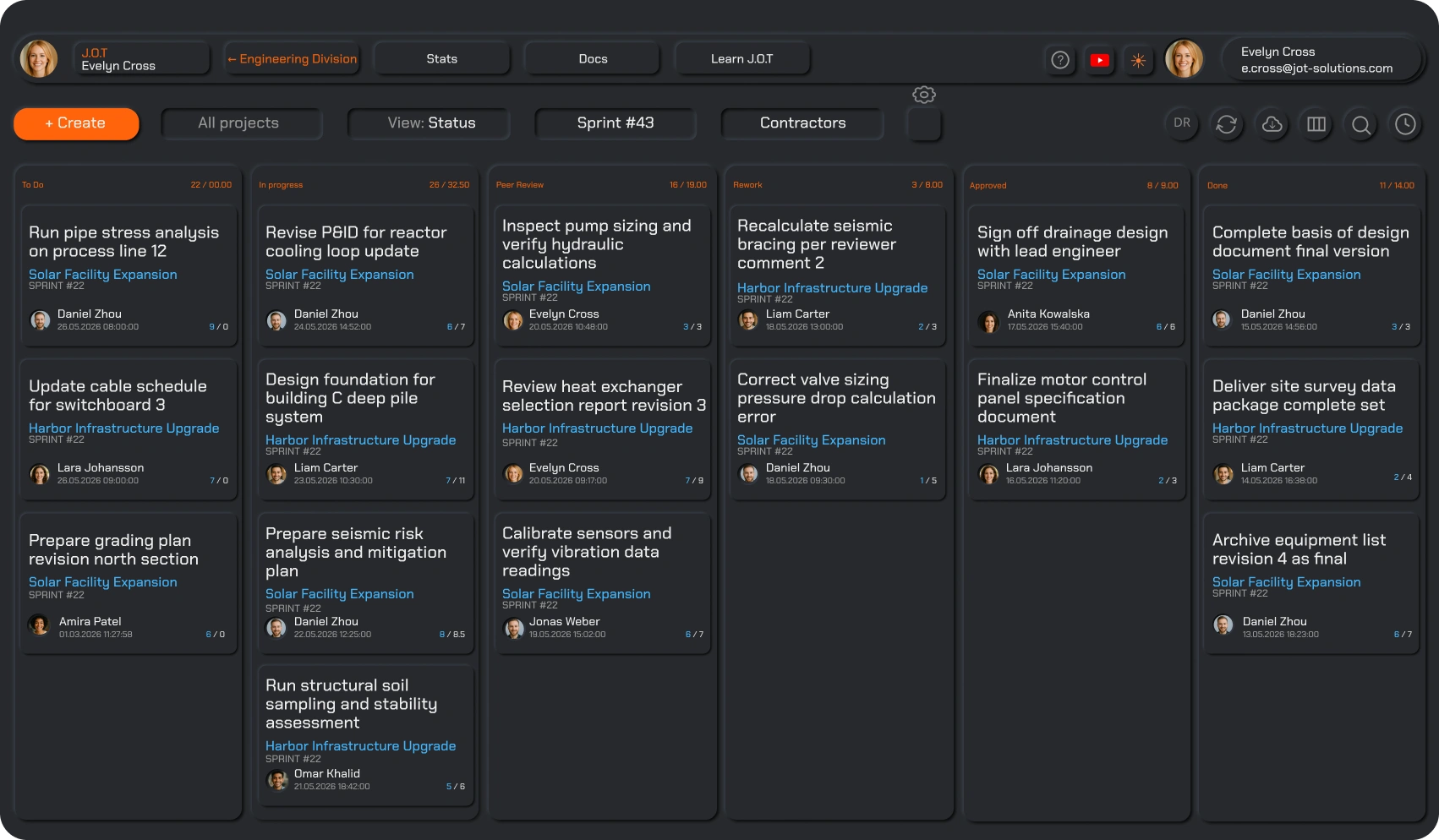
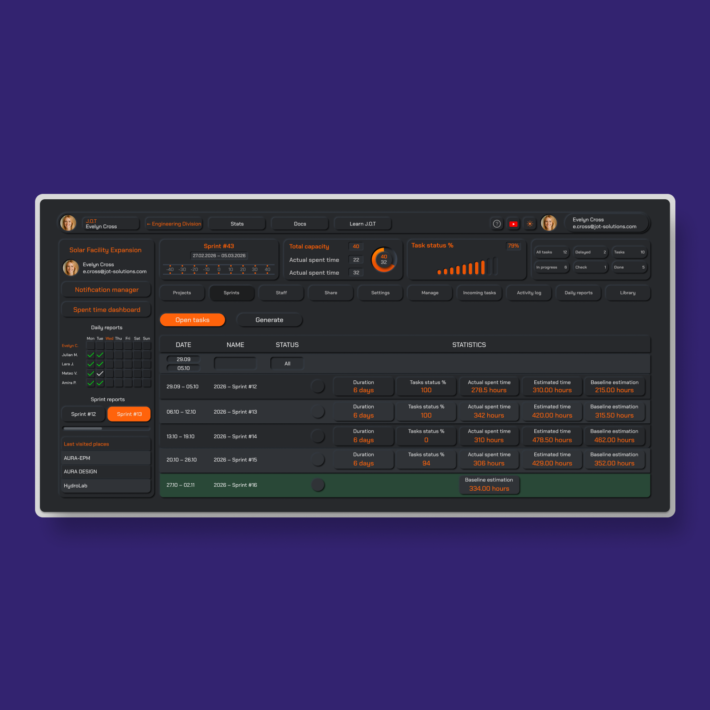
J.O.T APP kanban board example — engineering operations sprint

A software team uses J.O.T APP’s kanban board for product development: bugs, UX/UI tasks, backend API work, and security items each sit in their own WBS node. The kanban board filters by sprint and by WBS category, so a developer sees their assigned items, a UX designer sees design tasks, and the tech lead sees the full sprint. This is a practical kanban board example for software development teams managing multiple workstreams in parallel.J.O.T APP kanban board example — software development team
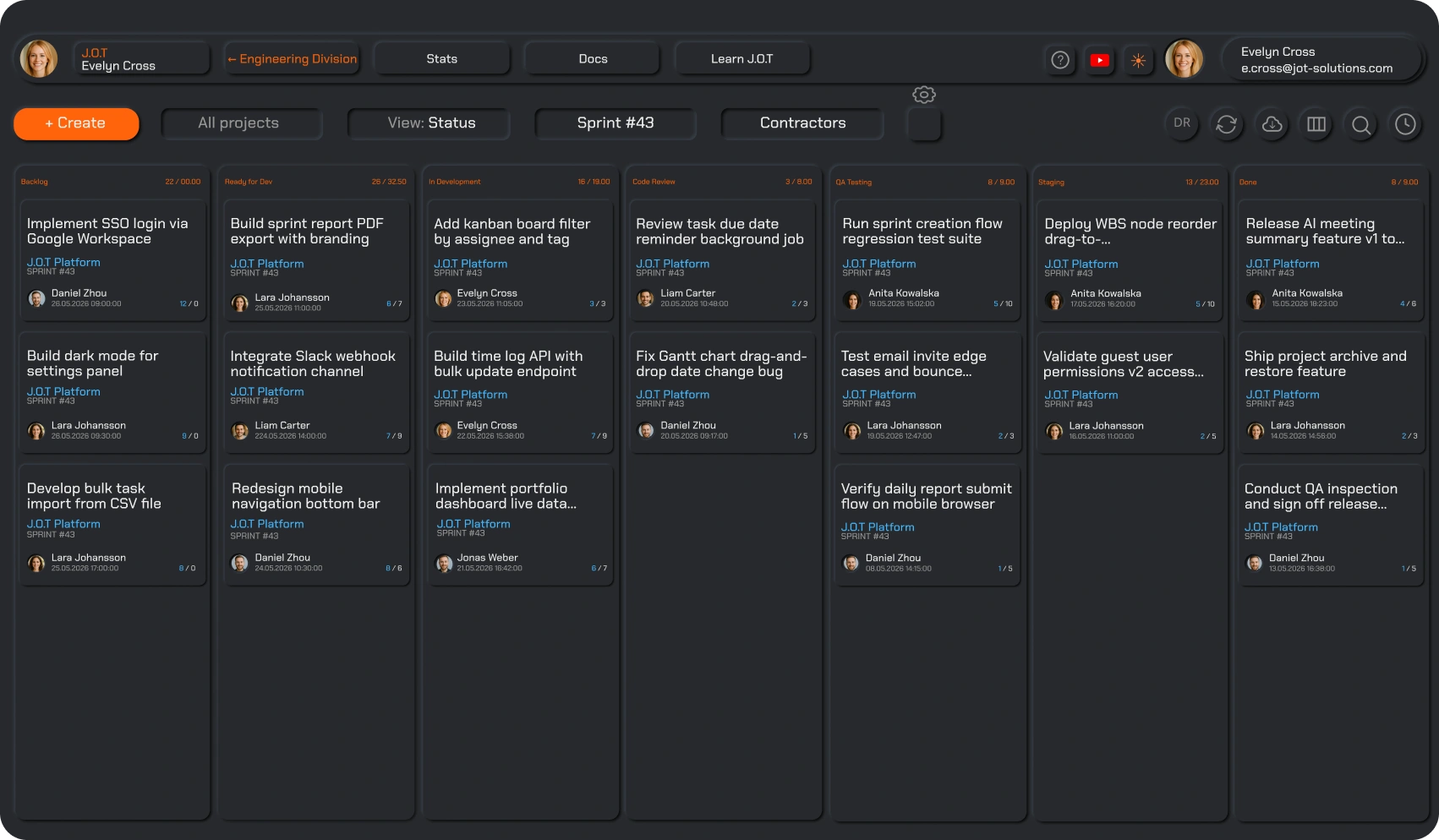
WORK VISIBILITY

Always know where work stands

A software kanban board is only useful if it reflects reality. In J.O.T APP, the board updates in real time as tasks move — no manual refreshes, no status spreadsheets, no morning check-ins just to find out if something is done. Tasks move through clearly defined stages, and progress is visible to every team member and every manager at the same moment.

Teams understand priorities without digging through reports. Managers see what is blocked, what is moving, and what is at risk — from a single board view. When something changes mid-sprint, the board reflects it immediately.

FOCUS & CONTEXT

Stay focused without losing context

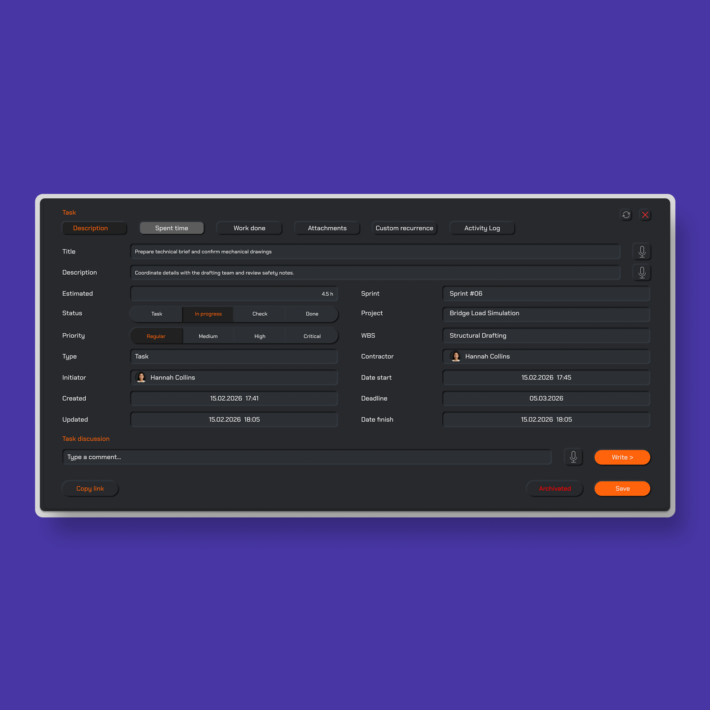
Every task card in J.O.T APP carries its full context: owner, status, sprint, WBS category, time log, and discussion thread. Team members focus on what matters now — their current sprint tasks — while managers keep the bigger picture in a single view without interrupting anyone's work.

When a task moves from In Progress to Check, the reviewer sees the full history: who worked on it, what was discussed, what files were attached. Context does not live in email threads or chat messages — it lives on the task, where it belongs.

Clarity isn’t about control — it’s about reducing noise so teams can move forward with confidence.

Custom Views

Custom kanban board views for every role

No two teams work the same way. J.O.T APP's kanban board is fully customizable — teams define their own status columns, create multiple board views, and filter by any project dimension: sprint, contractor, WBS category, or team member.

An architect can save a view showing only architecture tasks in the current sprint. A project manager can save a view showing all open tasks across all contractors. A client-facing team lead can save a view showing only items at the Check stage — the ones ready for review. Each custom view is saved and accessible in one click, online, from any browser.

The result: every person on the project sees exactly the board they need — no configuration required at the start of each session.

REAL-WORLD EXECUTION

Built for ongoing, changing work

Real projects do not follow a fixed plan from start to finish. Priorities shift. New tasks appear. Decisions made in a meeting create work that needs to be in this week's sprint by tomorrow morning. J.O.T APP's kanban board software is built for this reality — not for textbook project management.

Whether you are running a software development kanban board for a product team, a construction phase kanban for an AEC firm, or an operations kanban for a PMO — the board adapts to how your work actually moves. Teams maintain a steady flow, address issues as they surface, and never lose track of what is in progress.

FLOW CONTROL

Keep work moving, not stuck

Bottlenecks are expensive. In J.O.T APP, they become visible before they become costly. When tasks pile up in a single stage — when five items are In Progress and nothing is moving to Check — the board makes it obvious. Teams can act immediately: reprioritize, reassign, or escalate. No waiting for the Friday report to find out what did not get done.

The kanban board in J.O.T APP is designed to reduce friction, not add process. Tasks do not wait for reports or meetings to move forward — they flow continuously. Priorities adjust naturally. Teams maintain momentum without stopping to manage the system.

What makes the best kanban board software for project teams?

The best kanban board software is not the one with the most features — it is the one where the board is connected to the actual project. Standalone tools give you a visual board. J.O.T APP gives you a board that feeds from a work breakdown structure, links to sprint planning, tracks time at the task level, and compiles into a daily execution report.

Most teams that switch to J.O.T APP come from one of two places: a generic kanban tool that lacked project structure, or a spreadsheet that lacked visual clarity. J.O.T APP replaces both — with a kanban board that is part of a complete project execution system, not a standalone board sitting next to one.

Help Center

Questions? Answers.

Quick answers to questions you may have. Can't find what you're looking for? Check out our full documentation.

Kanban board software is a project management tool that organizes tasks as visual cards moving through defined stages — typically from planned to in progress to done. It gives teams a real-time view of work status, ownership, and progress. In J.O.T APP, the kanban board is connected to the full project structure: WBS, sprints, timesheets, and daily reports — so the board reflects real project execution, not just a task list.

Yes. J.O.T APP is used by architecture firms, engineering teams, and AEC project offices. A typical kanban board example for an engineering team includes WBS categories such as Structural, HVAC, BIM, and Specifications — each filtered to show only the relevant team's tasks moving through Tasks → In Progress → Check → Done. Custom views let each discipline see their own board while the project manager sees the full cross-disciplinary picture.

Yes. J.O.T APP's kanban board is fully online — accessible from any browser, on any device, in real time. All task updates, status changes, and comments are reflected immediately for every team member, regardless of location. There is no desktop installation required.

Yes. J.O.T APP allows teams to define custom status stages and create multiple saved board views. You can filter by sprint, WBS category, contractor, or team member — and save each view for one-click access. Custom views mean every role on the project sees exactly the board they need without manual reconfiguration.

Yes. J.O.T APP's kanban board works well for software and product development teams — bugs, feature tasks, UX work, backend development, and security items each sit in their own WBS category and appear on the board filtered by sprint and type. The kanban board for software development in J.O.T APP supports parallel workstreams, sprint-based planning, and role-based views — so developers, designers, and tech leads each see the tasks relevant to them.

Drop us a line.
We'll hear from you soon.

Need a quick question answered? Our support team is available to answer any queries seven days a week.

Contact information: